Digitize your business
If your business runs on registers, WhatsApp messages and many Excel files, I turn that into one clean system you can check from your phone.
What you get
One place for your data
Registers, bills and scattered sheets move into one organised system.
Live BI dashboards
Looker Studio or custom web dashboards for sales, leads, stock, staff and P&L, on your phone or laptop.
Automatic reports
Daily and monthly reports arrive on their own. No more copy and paste.
Less manual work
Reminders, data entry, pay calculations and follow-ups run automatically.
Sheets, Excel and Google Cloud
Daily work stays in Google Sheets and Excel. As data grows, it moves to Google Cloud (GCP) and BigQuery.
Support after delivery
I stay available to fix, change and improve the system as your business grows.
How it works
Tell me how you work today
A short call or meeting. Show me your registers, sheets and reports as they are.
I build it and show you
You see the system working with your own data before your team starts using it.
Your team starts using it
I train your team and stay available for changes and support.
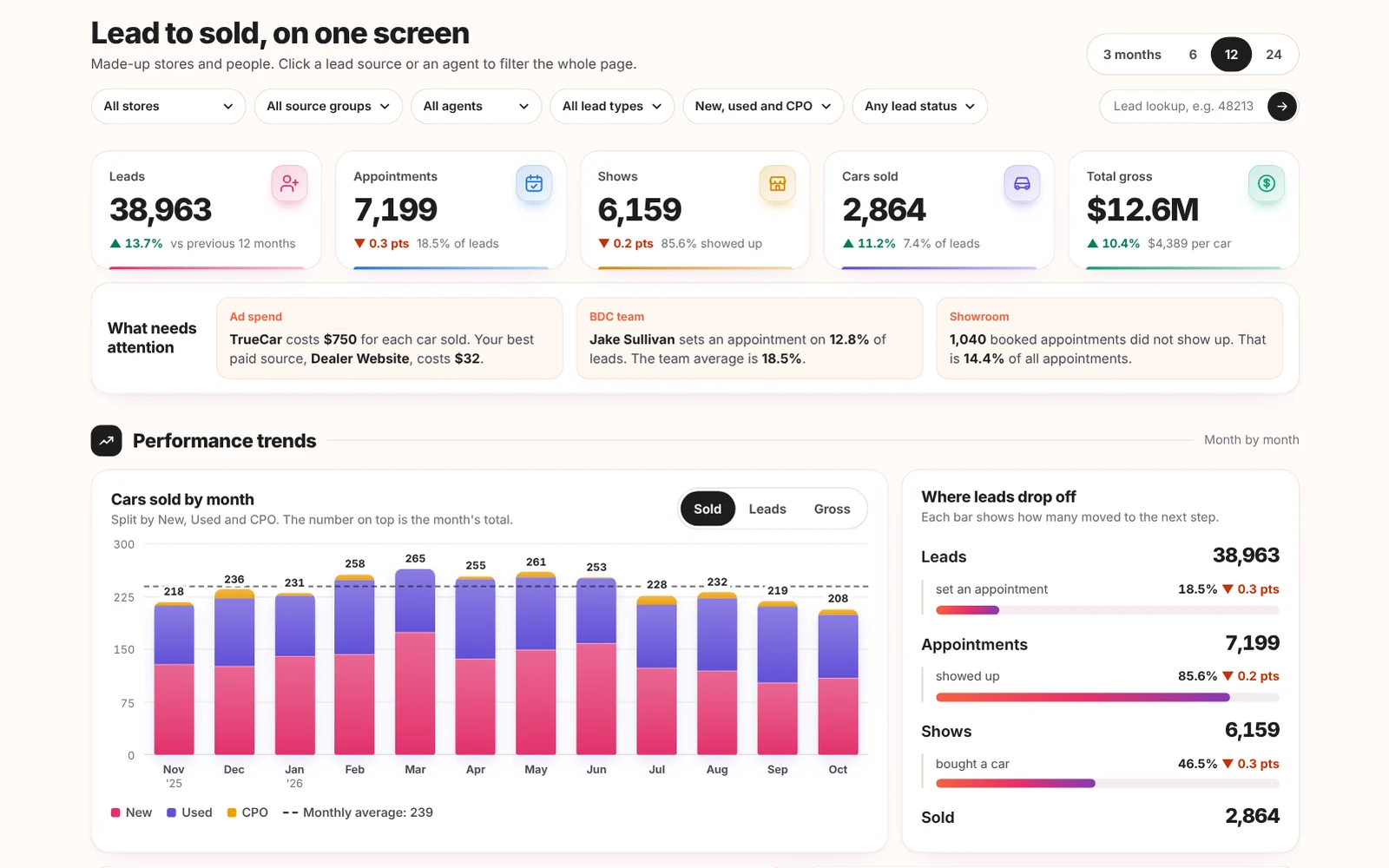
Example: a car dealership group in Philadelphia
Their sales office ran fully on manual work. I built these systems for them:
- Lead and sales dashboards
- CRM integration
- Salesperson rotation system
- Gross and P&L tracking
- Agent pay calculation
Sample work
One screen from each area I work in. Tap a name to switch.
- Every lead, appointment, show and sale on one screen
- Which lead sources bring buyers, and what each sale costs
- Which agents convert, and where leads drop off
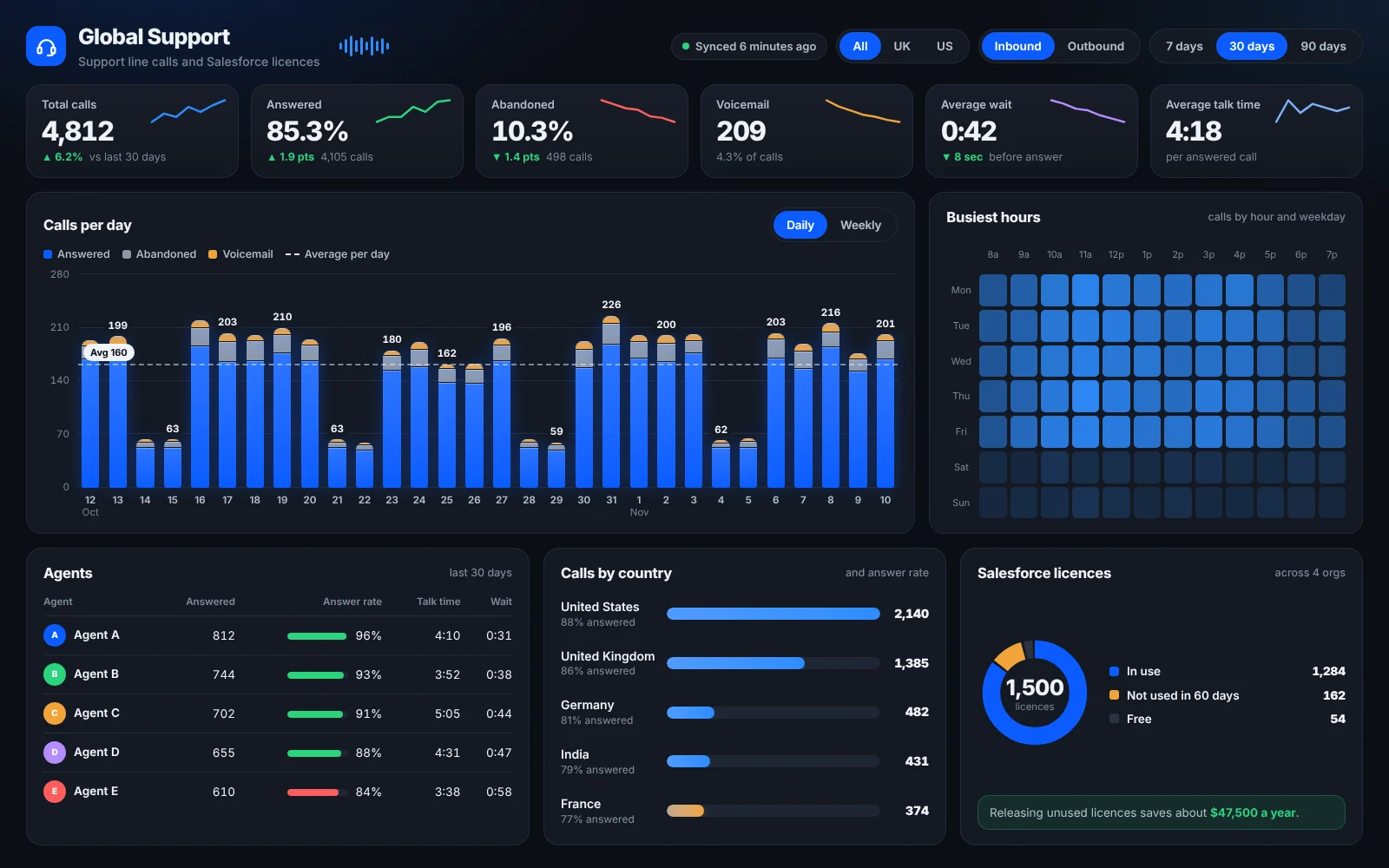
- Every support call by day, hour and outcome
- Missed calls and wait time, by agent and country
- Unused Salesforce licences found and released
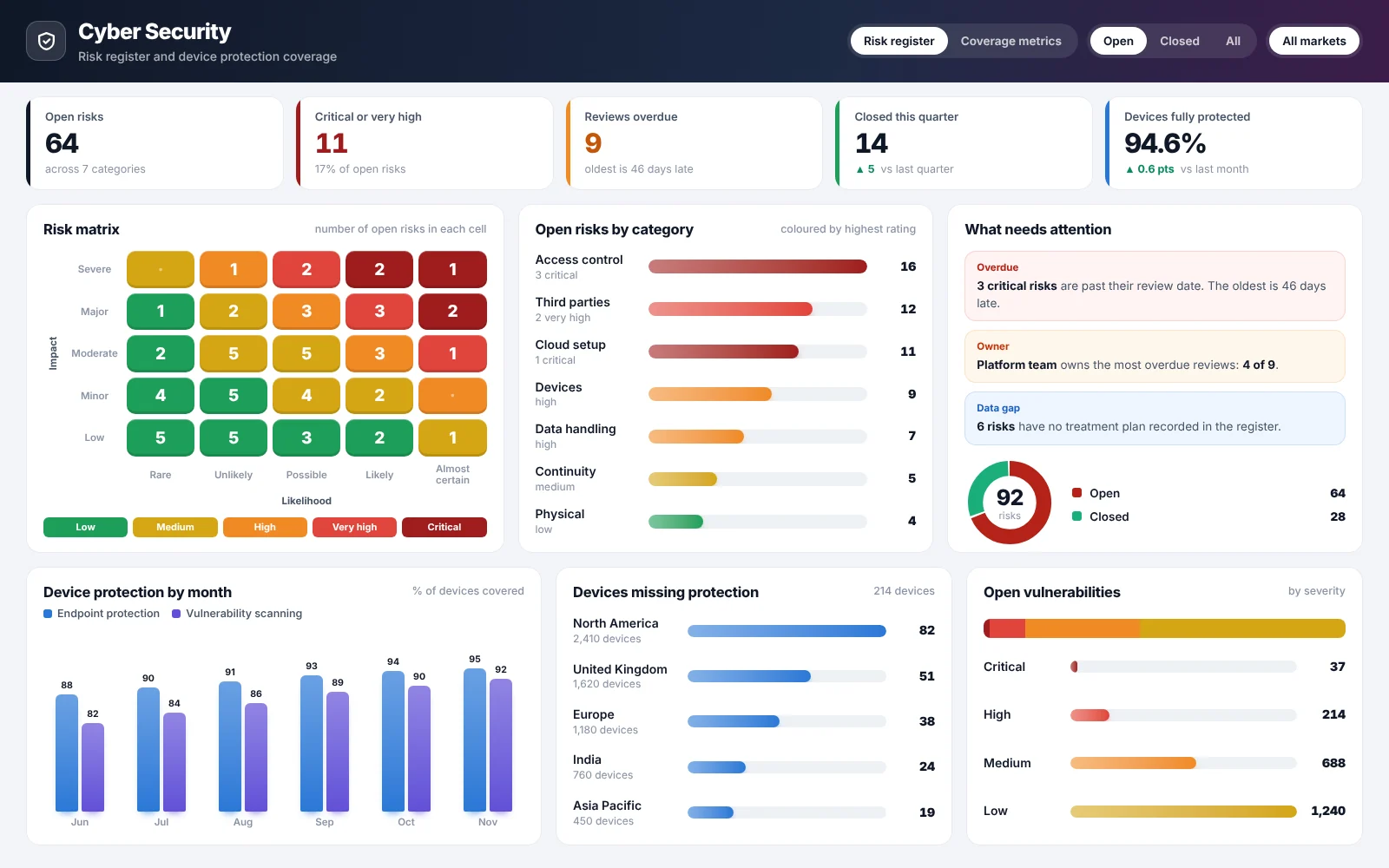
- All open risks on one impact and likelihood map
- Overdue reviews and missing owners flagged automatically
- Which devices are missing protection, month by month
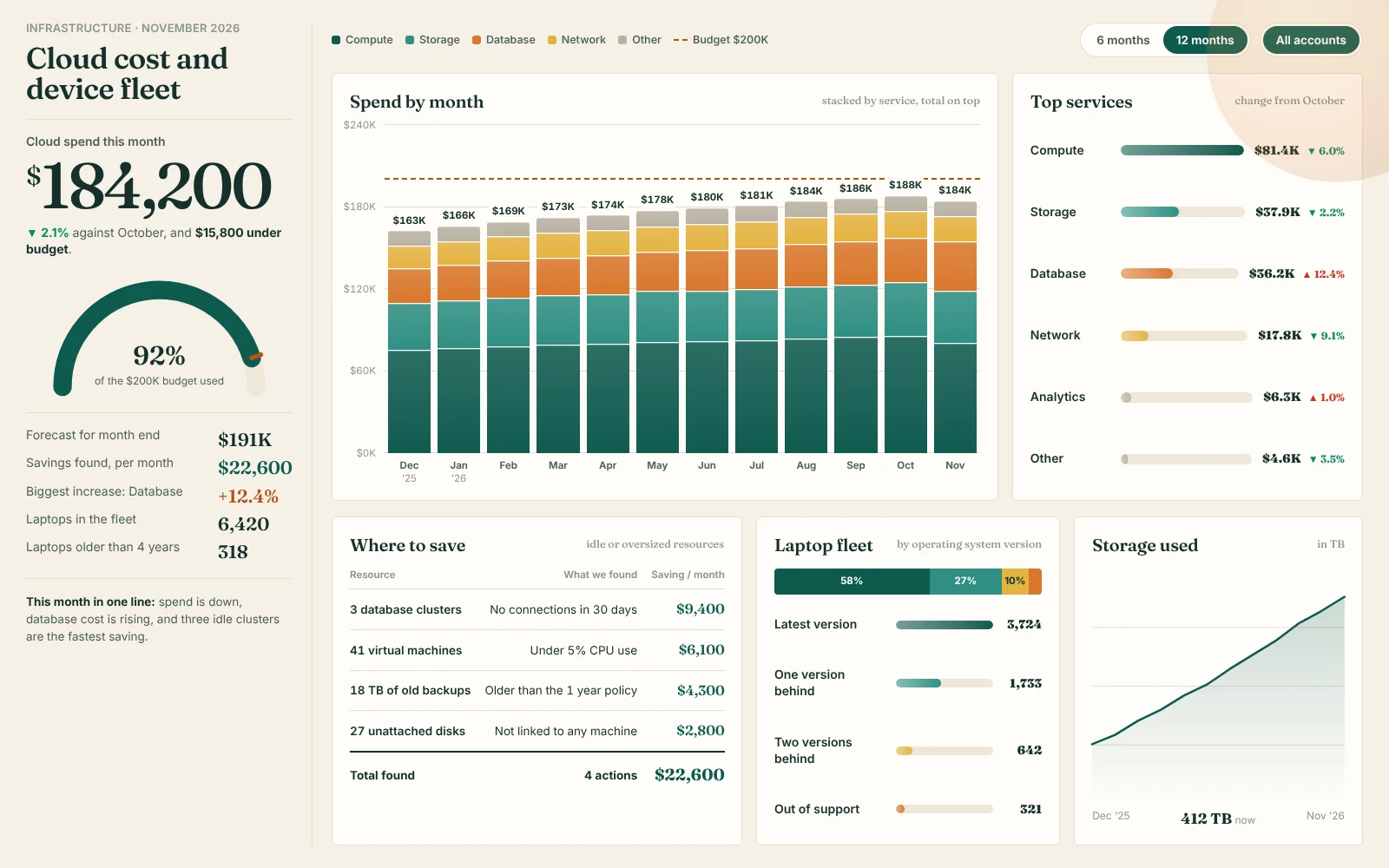
- Cloud spend by service against budget, with a forecast
- Idle resources listed with the saving for each
- Laptop fleet by age and operating system
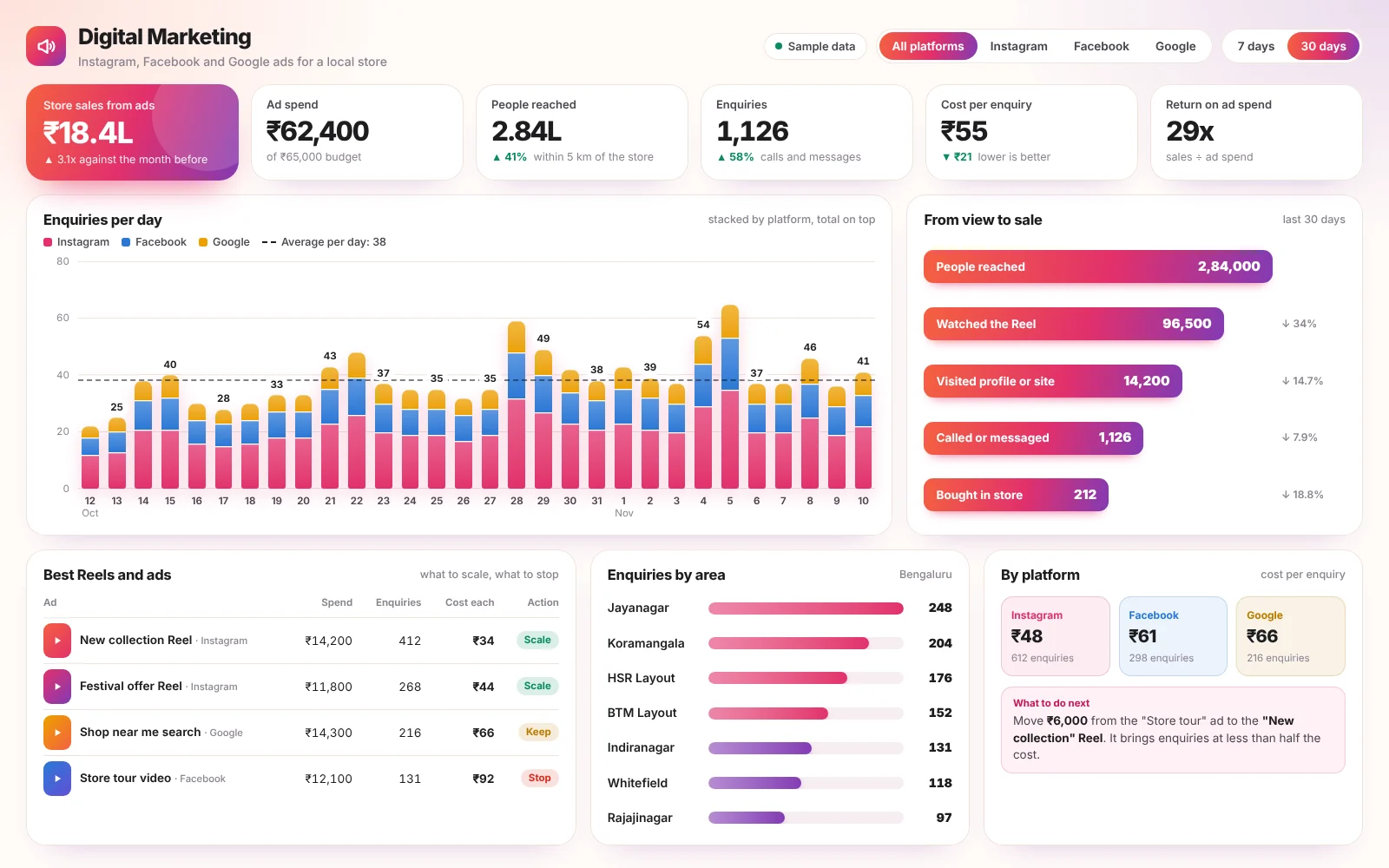
- Spend, enquiries and sales for Instagram, Facebook and Google
- Which Reels and ads bring customers, and which waste money
- Enquiries by area, so ads go where buyers are
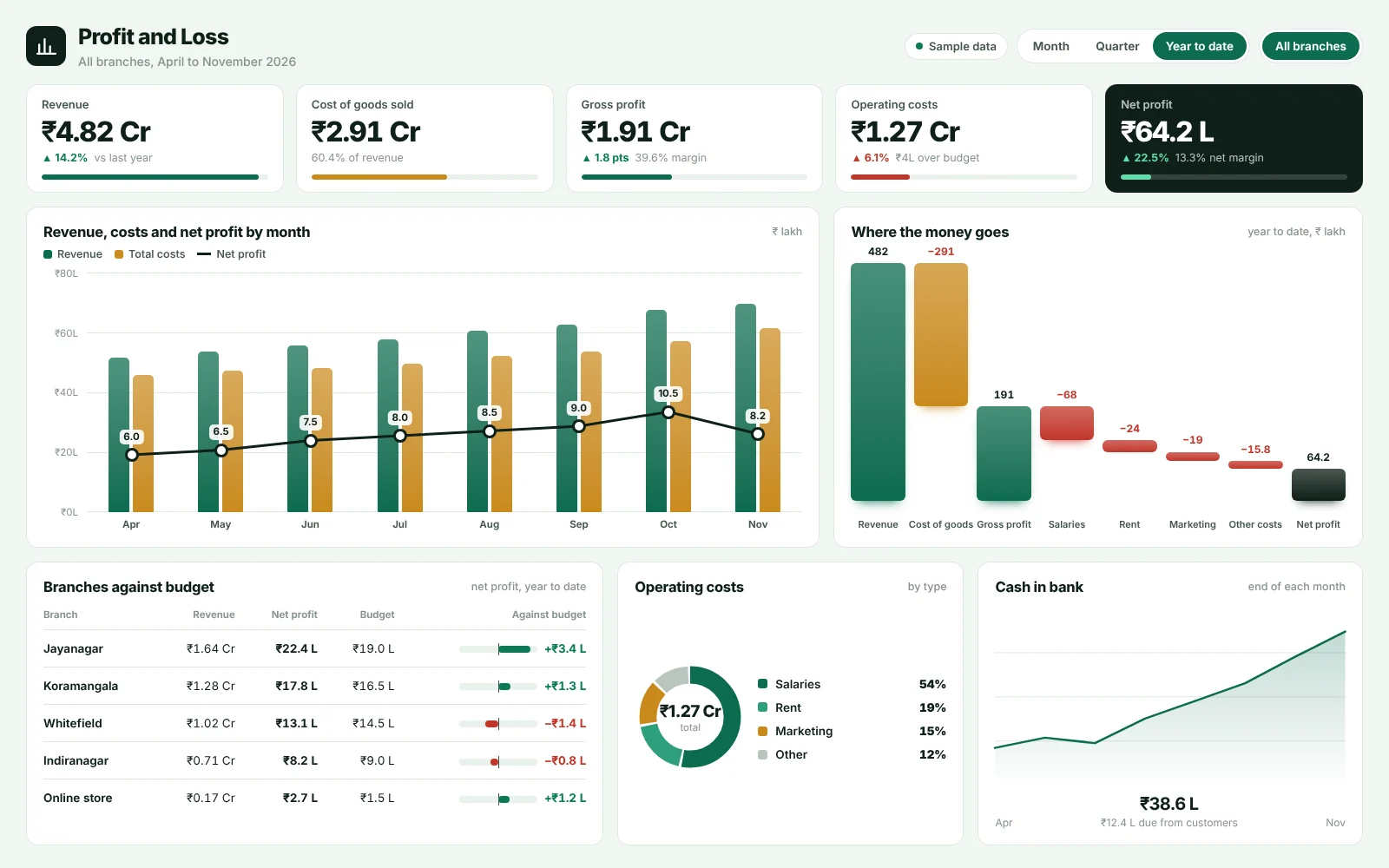
- Revenue, costs and profit for every month
- Where the money goes, step by step
- Each branch against its budget
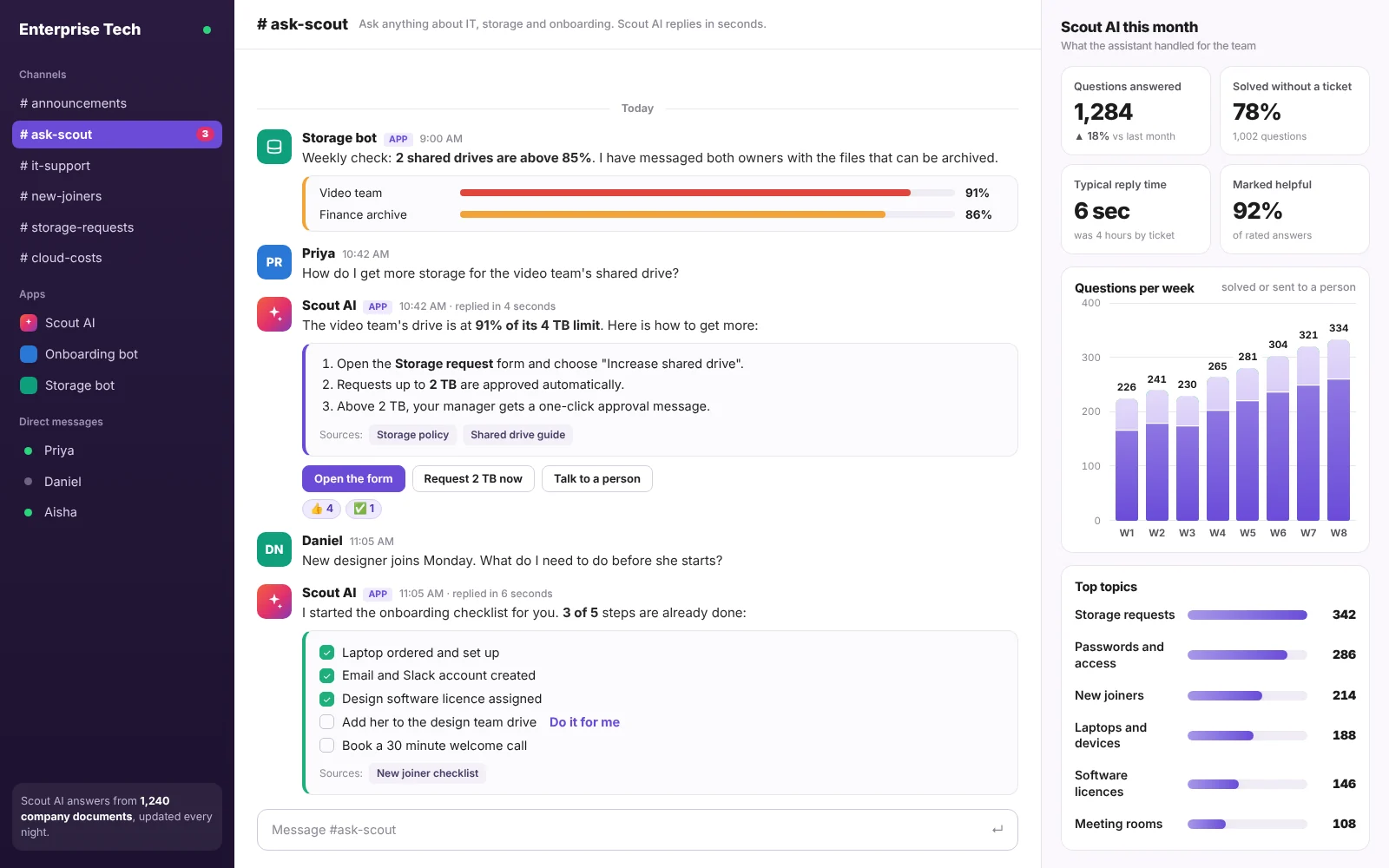
- Staff ask in plain words and get an answer in seconds
- Answers come from company documents, with the source shown
- Routine requests handled without raising a ticket
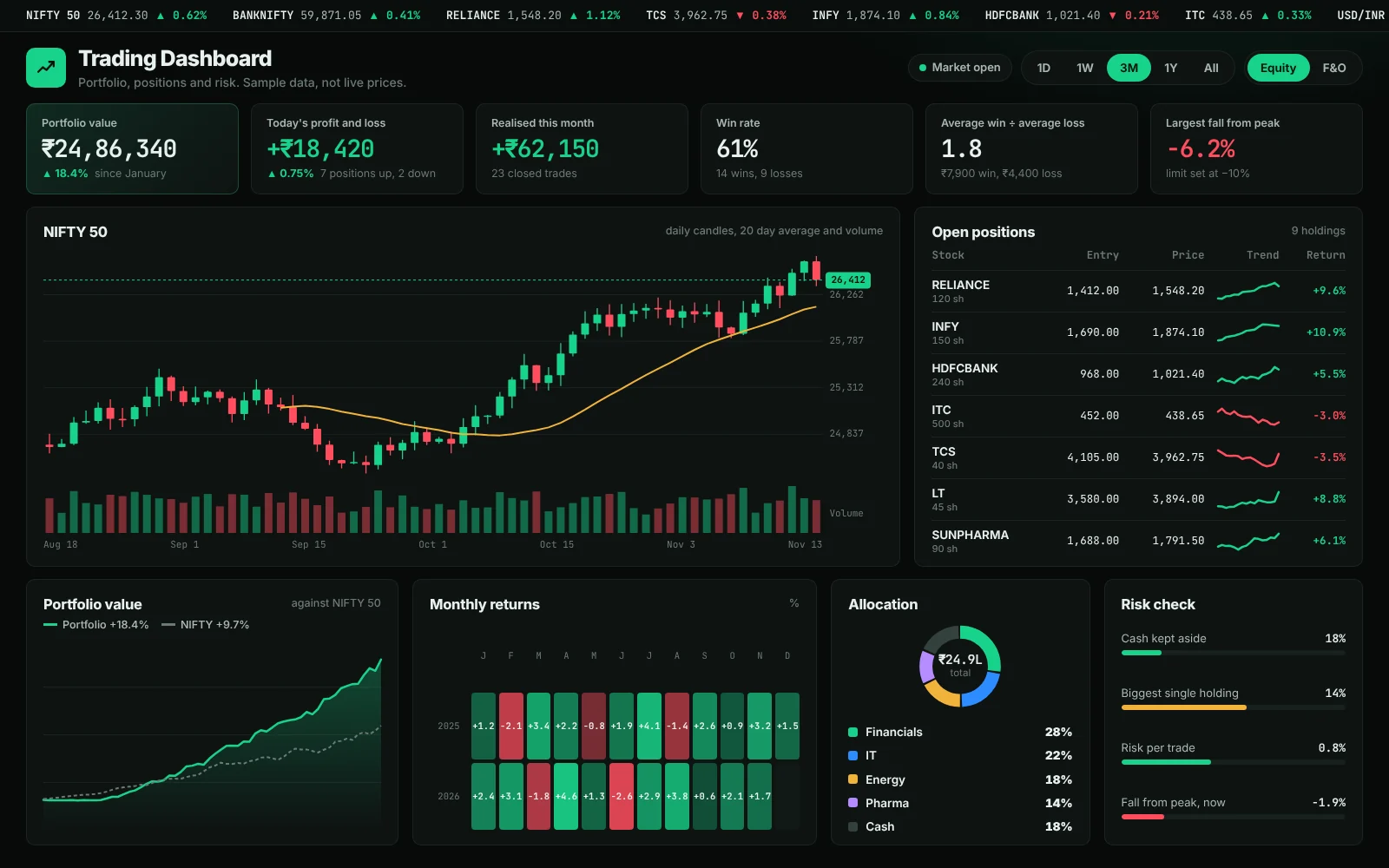
- Portfolio value and daily profit and loss
- Every open position with entry, price and return
- Win rate and risk, tracked trade by trade
Every screen is recreated or built as a sample, with made-up data. No client data is shown.
Common questions
Do I need to buy new software?
Usually no. Most systems I build run on Google Sheets, Excel and free Google tools. If something paid is needed, I tell you before starting.
My records are on paper. Is that fine?
Yes. We start from whatever you have today: registers, bills, Excel files or WhatsApp messages.
How much does it cost?
It depends on the size of the work. The first discussion is free, and I tell you the cost before starting.
Do you work only with car dealerships?
No. I work with any small or medium business. Dealerships are one example of my past work.
Tell me what you need
Send a short message. I read every enquiry myself and reply to you directly.